From keys to both handsBuild skills for more music
A lesson for every step
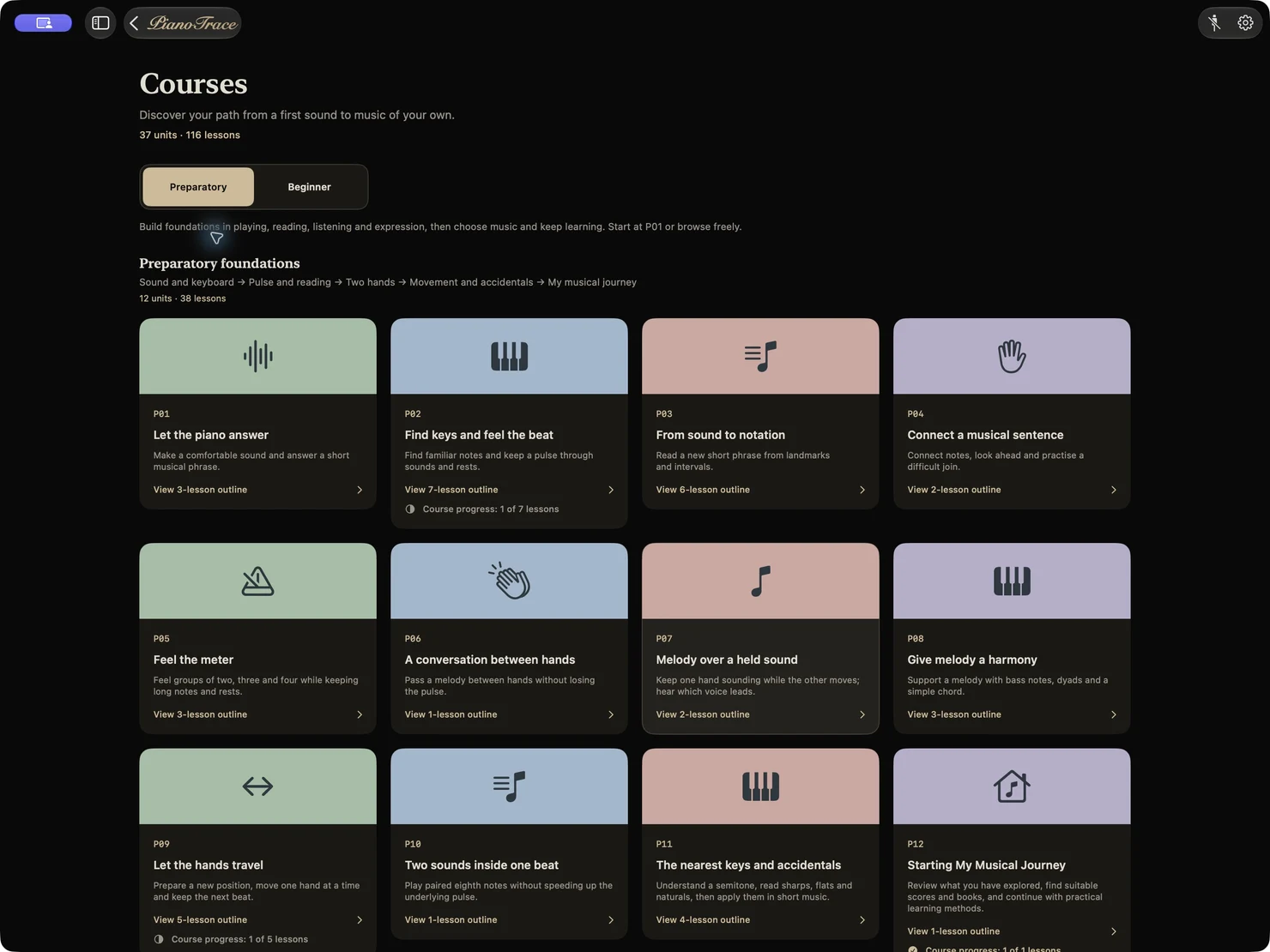
A preparatory course designed for absolute beginners. Clear explanations, demonstrations and interactive practice help you build a solid foundation, one step at a time.
1
Meet the piano keys
Begin with the keyboard, pitch and natural movement. Find the first notes of your own musical journey.
2
Find a steady beat
Listen, clap and play to build a stable pulse, keeping notes and rests in time.
3
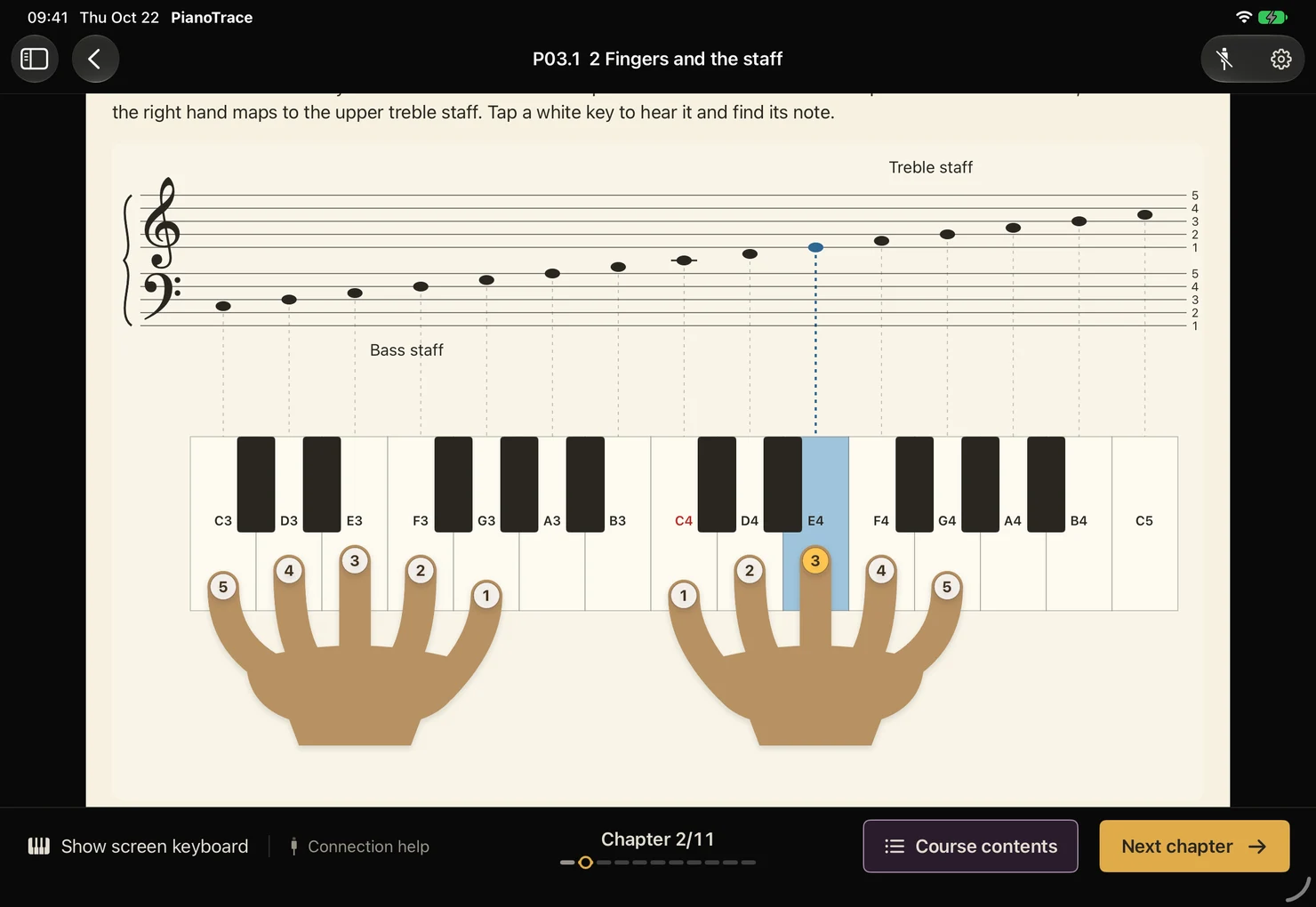
Read and play with both hands
Connect keys, notes and fingering, then put your foundation into short phrases and pieces.
See it. Understand it. Play it.
Diagrams, demonstrations and interactive exercises make musical ideas visible. Try them at the keyboard and turn understanding into playing.
Clear visual explanations
Understand musical ideas and playing techniques through helpful diagrams.
Listen, then try it yourself
Hear demonstrations and practise each idea in manageable steps.
Feedback linked to the score
Connect a compatible digital piano or MIDI keyboard to review your playing.
From first notes to finer details
Make every practice session count.
Already playing? Import a score, break down its challenges and use performance feedback to find your next step. Your everyday practice tools are here, too.
01 / 04
Know what to work on next
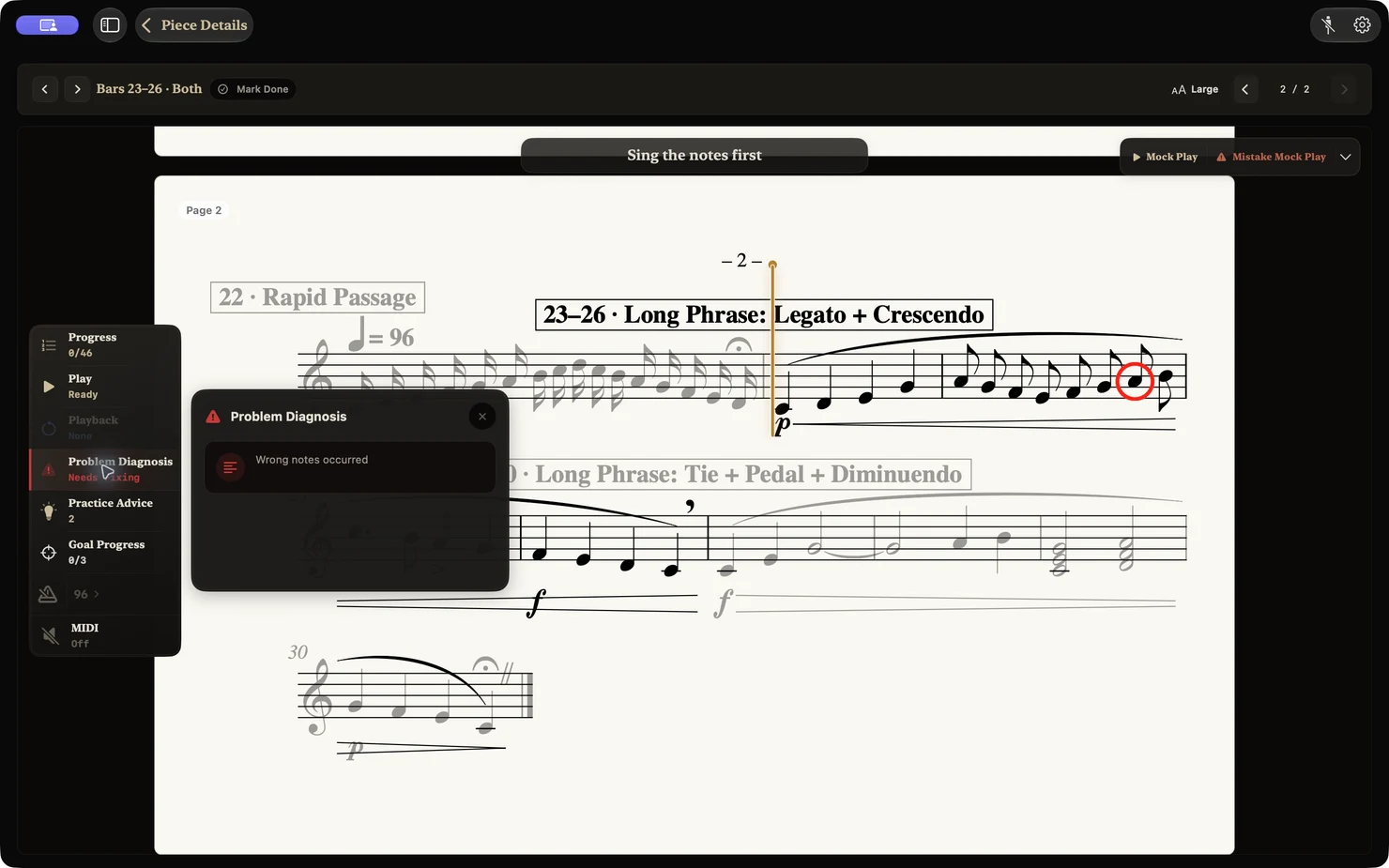
Review feedback after you play and find the passages that need more practice.
Performance detection and technical feedback require a compatible MIDI device. Acoustic piano recognition through a microphone is not supported.
02 / 04
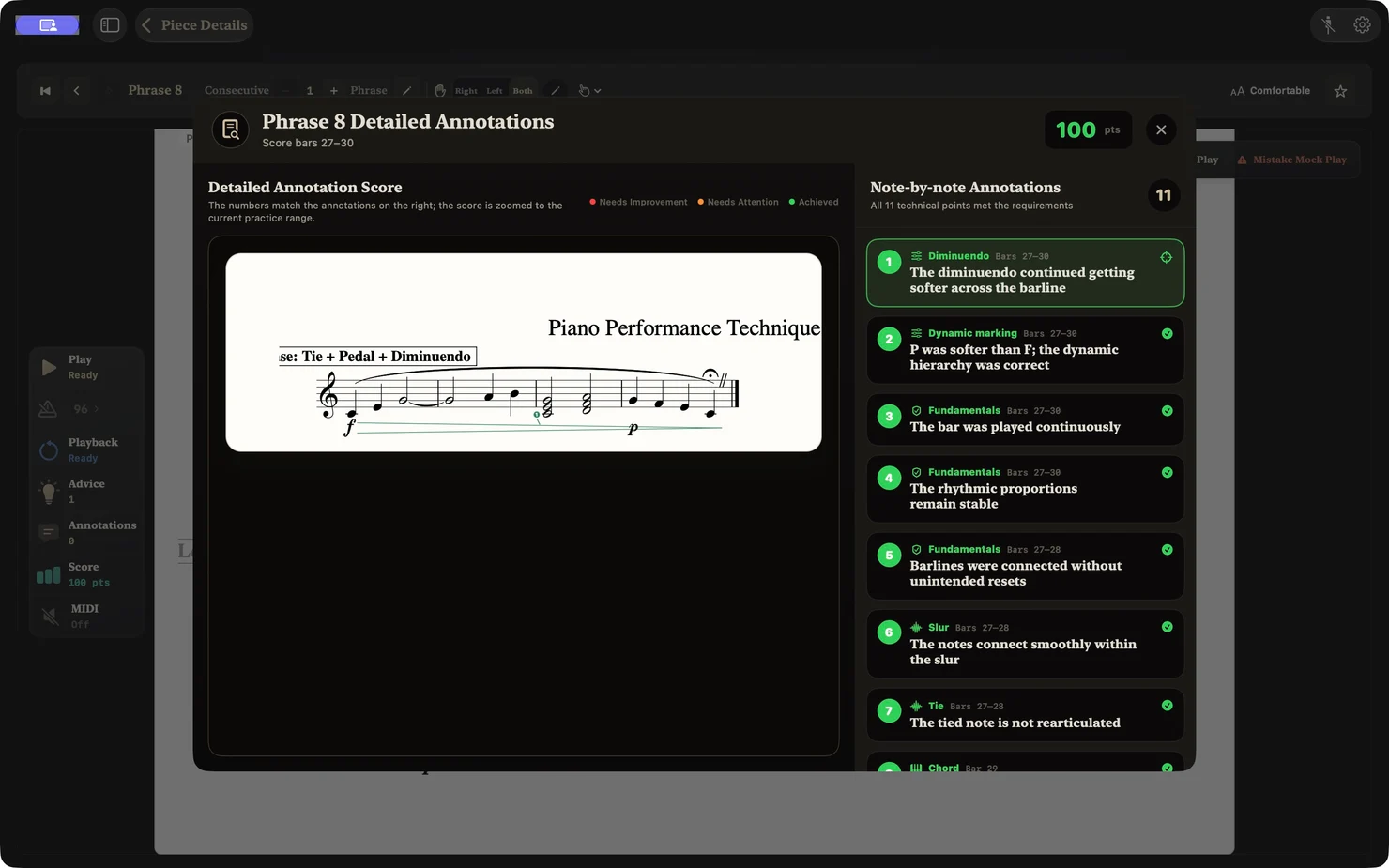
Refine every phrase
See your progress with detailed annotations on legato, dynamics, pedalling and more.
Performance detection and technical feedback require a compatible MIDI device. Acoustic piano recognition through a microphone is not supported.
03 / 04
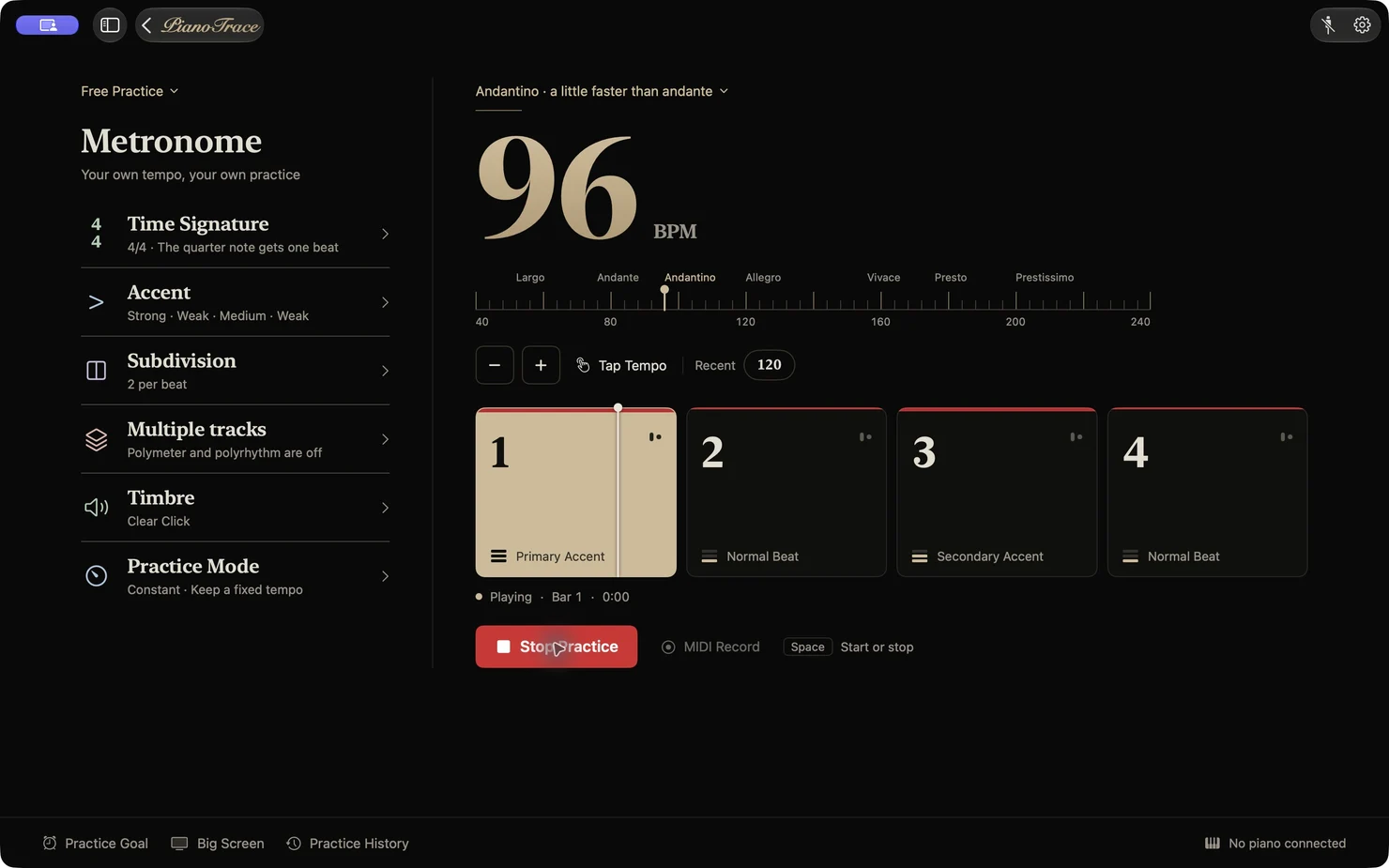
Find your practice rhythm
Adjust tempo, accents and subdivisions to suit your practice goals.
04 / 04
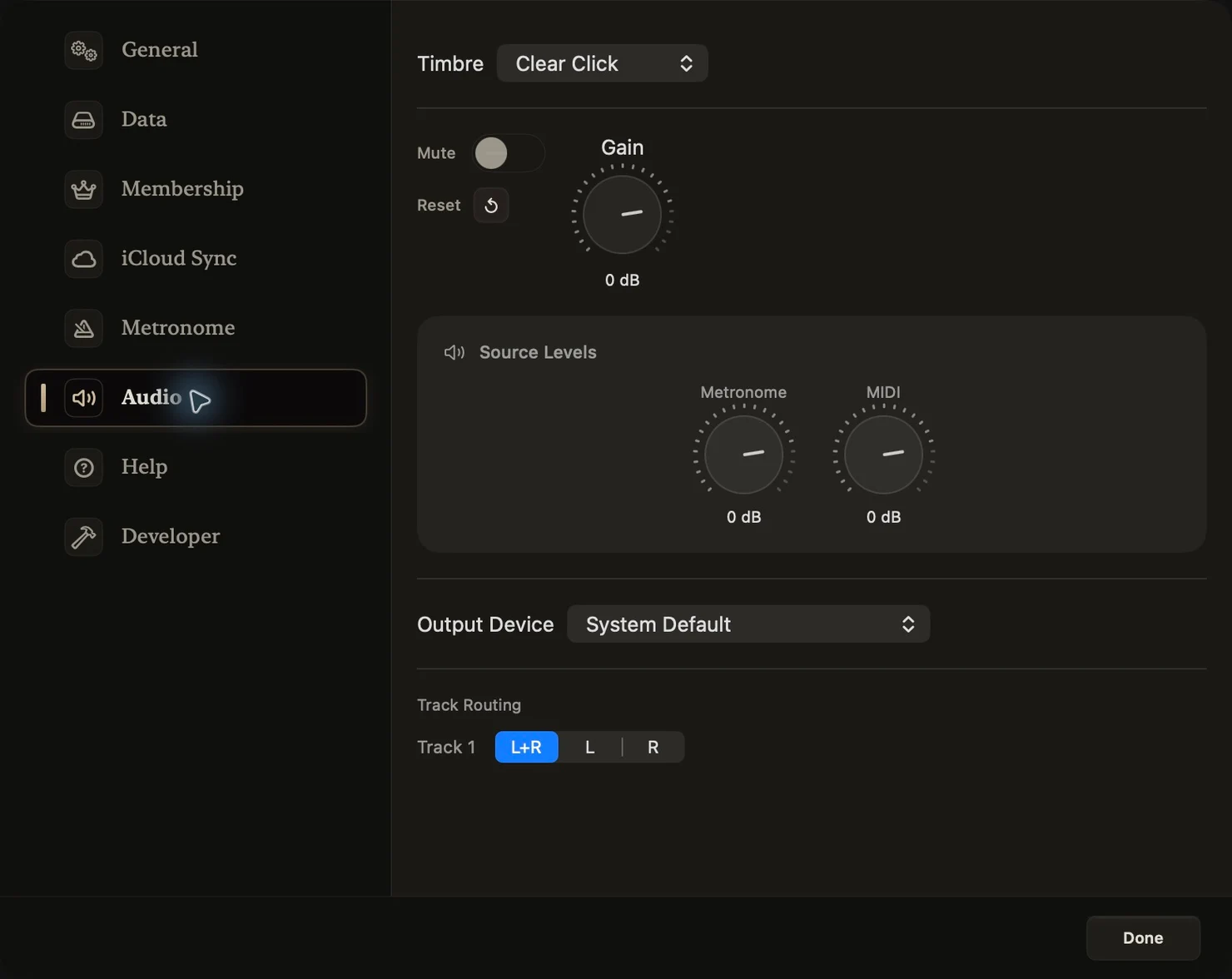
Get the sound balance right
Choose your output device and adjust metronome and piano volume independently.
01 / 04
Discover more music
Take each lesson to your next piece.
Explore 2,800+ classical piano scores by 140+ composers. Or import your own MusicXML or MXL scores and keep learning with the music you love.
Read lessons and watch demonstrations in the app. Some exercises support the on-screen keyboard; a compatible digital piano or MIDI keyboard lets you practise on real keys.
Score formats
Import .musicxml, MusicXML-based .xml, and .mxl. PDF, image scores, and MIDI files as scores are not currently supported.
When MIDI is needed
Score import, difficulty, and structure analysis work without MIDI. Performance detection and scoring require a compatible MIDI device. Performance detection and technical feedback require a compatible MIDI device. Acoustic piano recognition through a microphone is not supported.
What difficulty means
Difficulty describes the score’s demands. It does not judge your ability, predict learning time, or assign an official exam grade.
PianoTrace Pro
Full difficulty detail, Smart Practice paths, detailed annotations, and some advanced features require PianoTrace Pro.
Your piano journey starts here.
From your first key to the finer details, find a clear direction for every practice session.